Alerts for everything
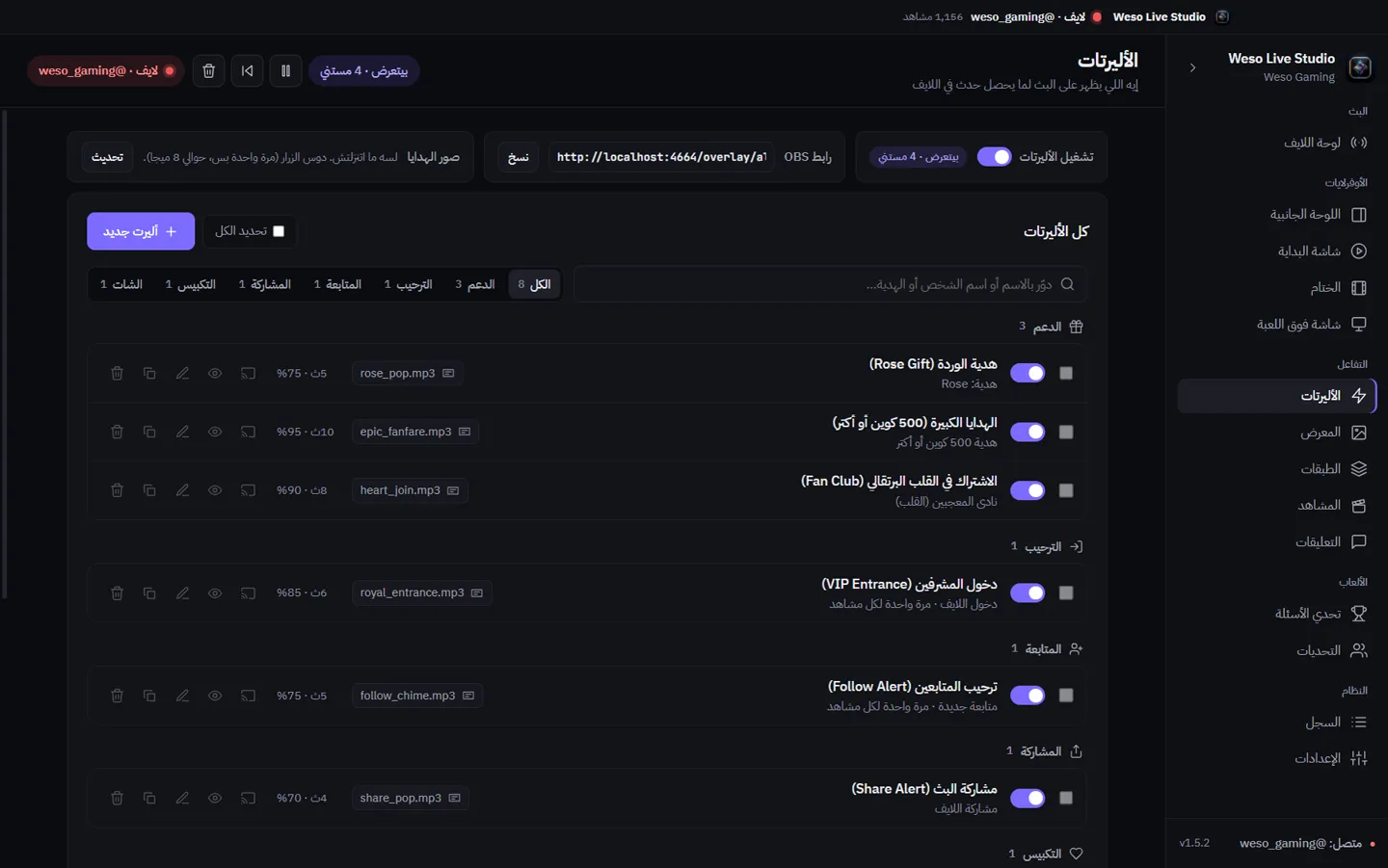
Video, sound and text for any gift or coin range, welcomes for specific people, and alerts for follows, likes and shares.
Alerts, a live sidebar, gift battles and a quiz game, all running from your own PC and connected to OBS. Made by a streamer, for streamers.
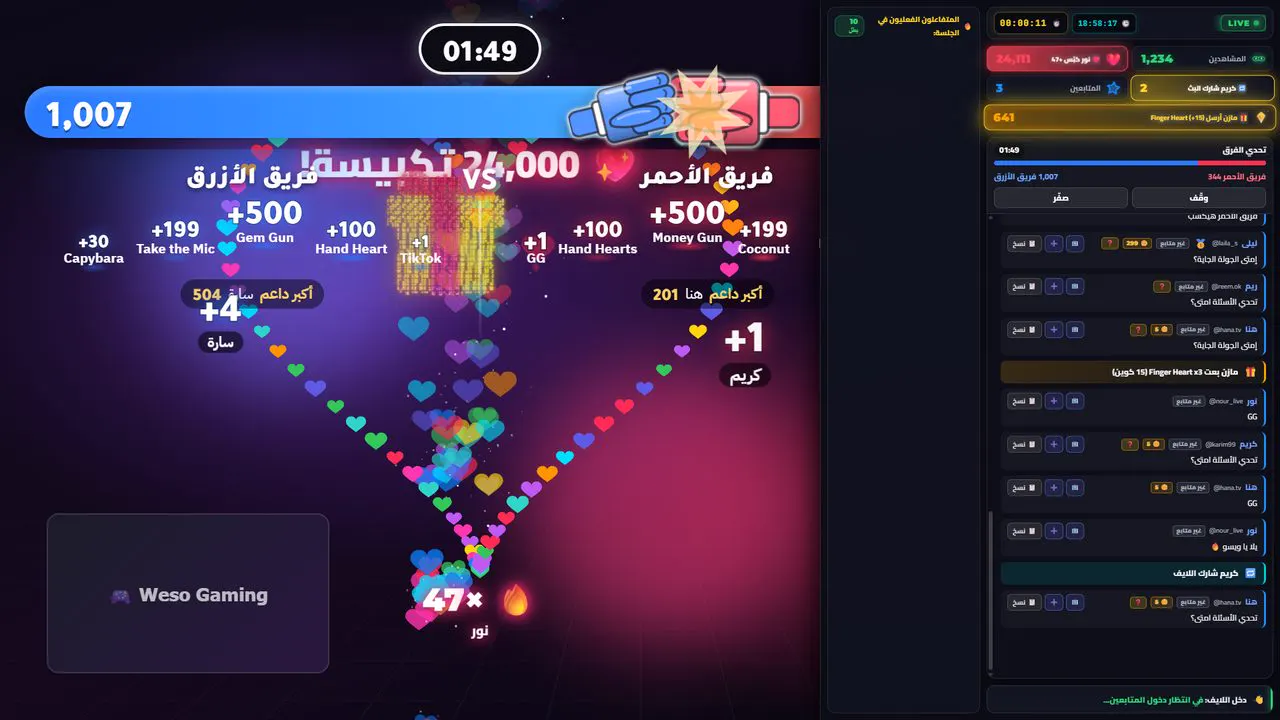
This is the real app running: a gift team battle, a heart fountain with every like, alerts, and the sidebar with chat and top supporters.
You're the LIVE audience now. Send a gift, likes or a question and watch what shows on screen.
Click and watch:
Your alert videos and sounds live on your PC, and the app plays them to OBS on the same machine. No server in the middle, nothing downloading while you're LIVE.
Videos download from their server and share your upload speed with the stream.
From your drive to OBS on the same PC. Zero internet for alerts.
Your upload goes to video and audio only, so the stream doesn't stutter when gifts pile up.
No loading, no waiting, even with ten gifts in a row.
Use big, high-quality alerts without worrying about your internet.
If an online tool's website goes down mid-LIVE, your alerts keep working.
No need for five tools and ten links. Everything is in one app, and every layer has its own OBS link.
Video, sound and text for any gift or coin range, welcomes for specific people, and alerts for follows, likes and shares.
Alerts play one after another, and nothing gets lost.
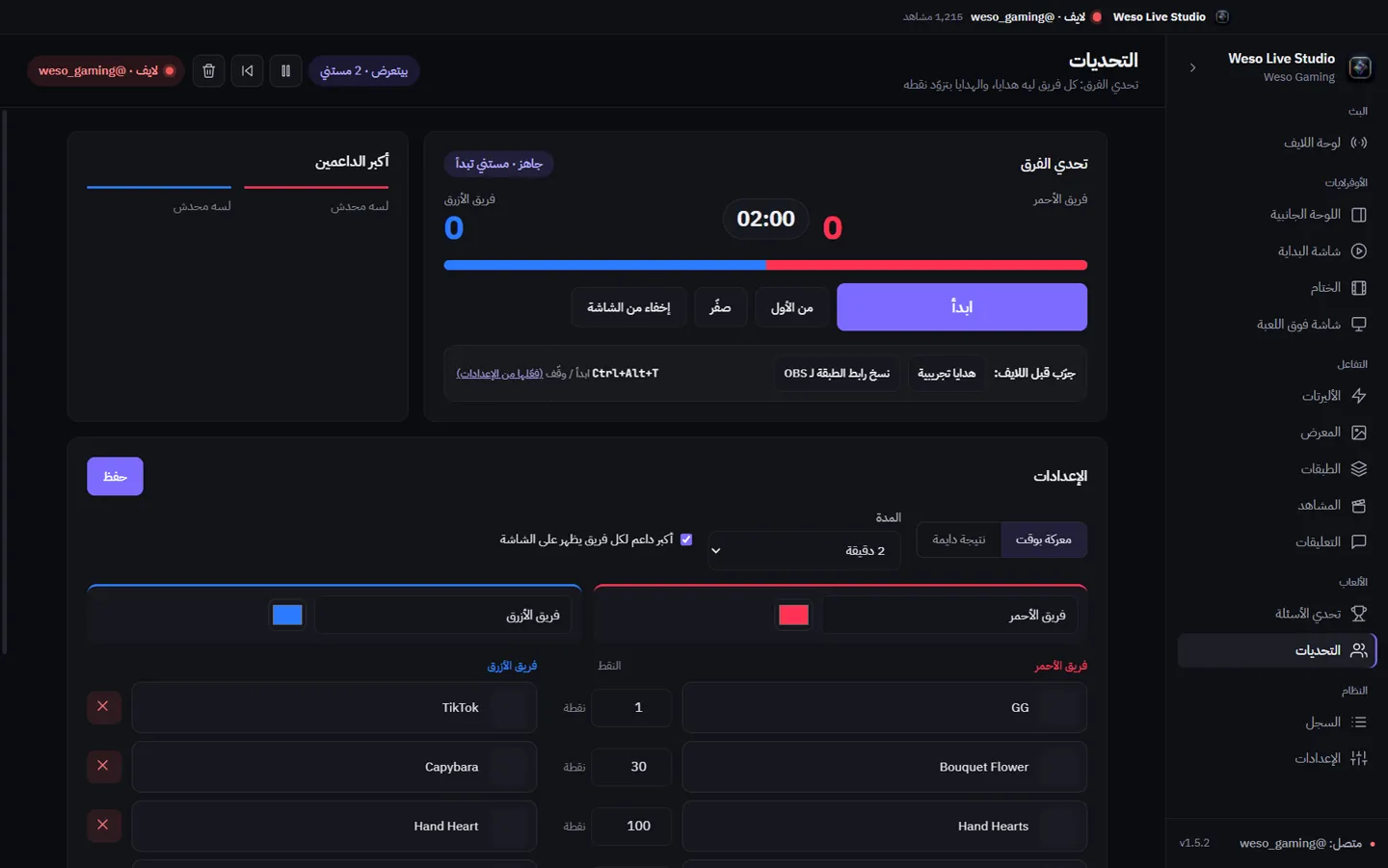
Viewers split into two teams, each with its own gifts. Whoever collects more before time runs out wins.
A quiz where viewers answer with a number in chat, a lucky wheel, and a champion at the end.
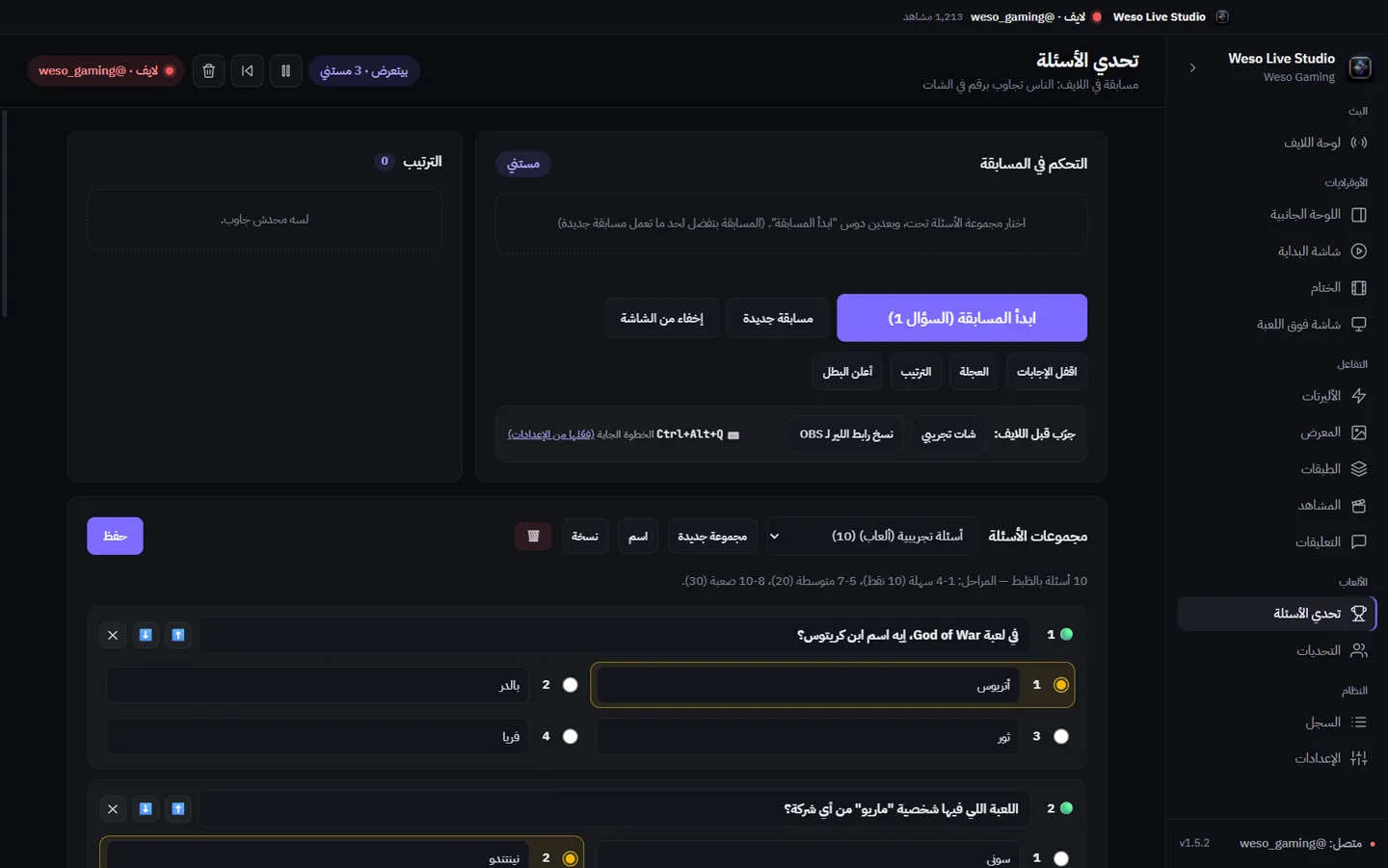
Chat and supporters in front of you while you play, and any comment on screen in one click.
Gift fireworks, a heart fountain, top supporters and a viewer counter.
Everything that happened in the LIVE, who supported, and why an alert didn't show.
Real screenshots from the app. One simple look, in English or Arabic.
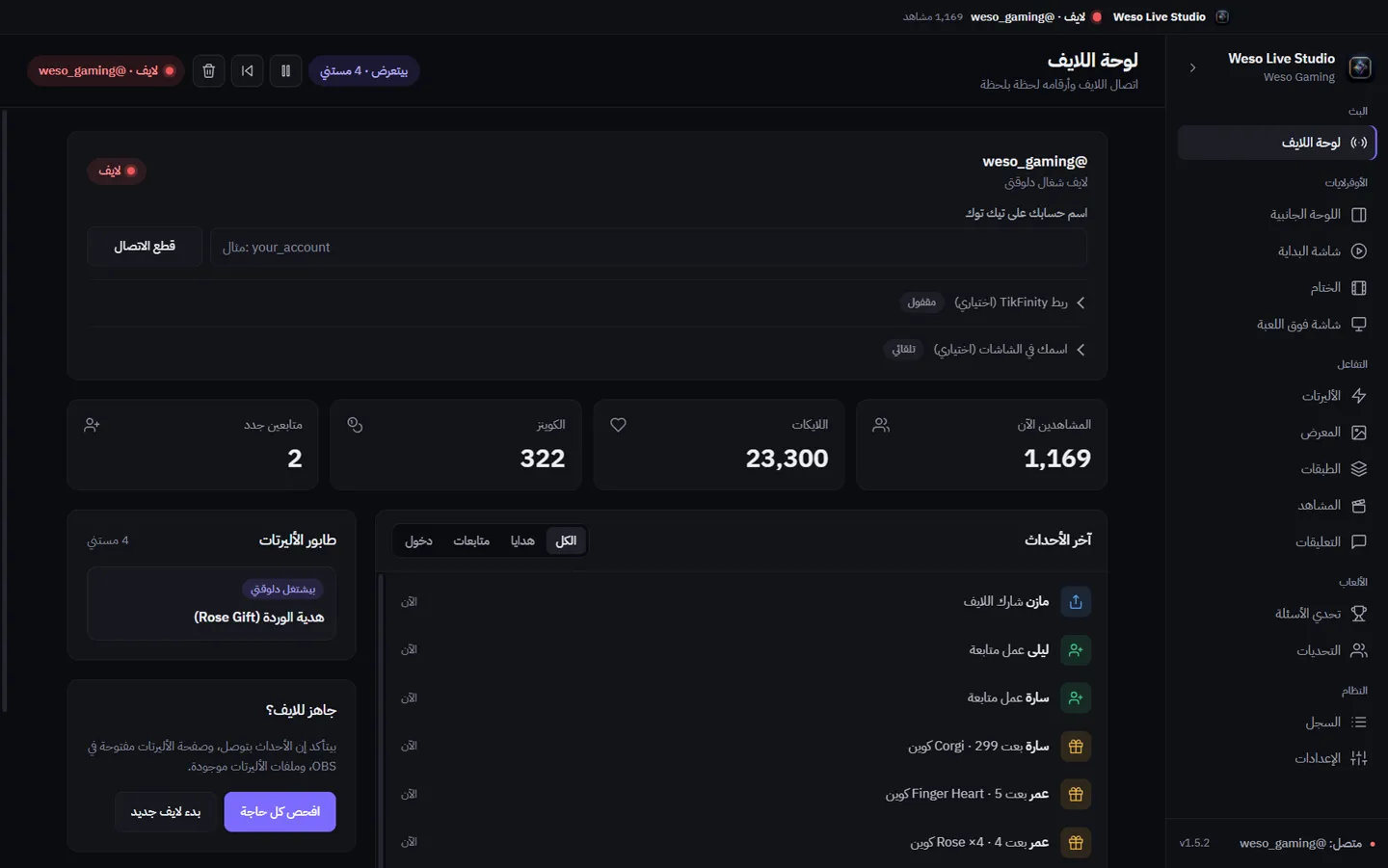
Install it on Windows, enter your name and WhatsApp number, and the trial starts right away.
Type your username, and the app connects by itself as soon as you go LIVE.
Copy each layer link as a Browser Source, set up your alerts with your own videos, and go LIVE.
Every plan includes the full app. The only difference is the length.
Try the full app free for 14 days first, and subscribe only if you like it.
When a subscription ends, the app pauses until you renew (never while you're LIVE), and all your settings and alerts stay as they are.
Dollar prices are approximate. Outside Egypt? Message us on WhatsApp and we'll send a payment method that works in your country.
It's shown in the app. If you came from the app, it's already filled in here.
Via InstaPay, mobile wallet or the support link.
Use the "Tell us" button or send the payment screenshot on WhatsApp.
As soon as we activate you. Or press "Check again" in the app.
Yes, the full app for 14 days with no limits. After that the app pauses until you subscribe, and all your settings and alerts stay saved.
No. The app never locks while it is open. The subscription is only checked when you start it.
Your alert videos are stored on your PC, and the app plays them to OBS on the same machine. Only the LIVE events themselves (who sent a gift, for example) come from the internet, and that's tiny.
No. Your device code comes from the PC itself, so when you reinstall the app your subscription comes back by itself.
In the app on the new PC, press "Move license" and enter the WhatsApp number and TikTok account you registered with. The license moves by itself (once every 30 days).
OBS and Streamlabs: every layer has a link you add as a Browser Source. TikTok's own TikTok LIVE Studio opens the links too, from version 1.6. If you hit any problem with it, message us.
Usually the same day. If you renew while your subscription is still active, the new days are added to what's left.
Yes. The app only reads public LIVE events (gifts, chat, follows). It never asks for your password and never posts anything in chat for you.
Yes. Link your alerts folder in the "Gallery", then pick the video, sound or image for each gift or event. The app plays them right from where they are on your PC.
Yes. In Settings → Language you choose English or Arabic for the app, and separately for the OBS pages. So the app can be in English while your stream shows Arabic, or the other way around.
Open "Ready for LIVE?" in the LIVE Panel and it tells you what's missing. If that doesn't solve it, check the troubleshooting chapter of the guide or message us on WhatsApp.
Yes. Choose "US dollar" in pricing and message us on WhatsApp, and we'll send you a payment method that works in your country.
We're with you from installing to going LIVE.
Download the app and try it free for 14 days. If you don't love it, you pay nothing.